

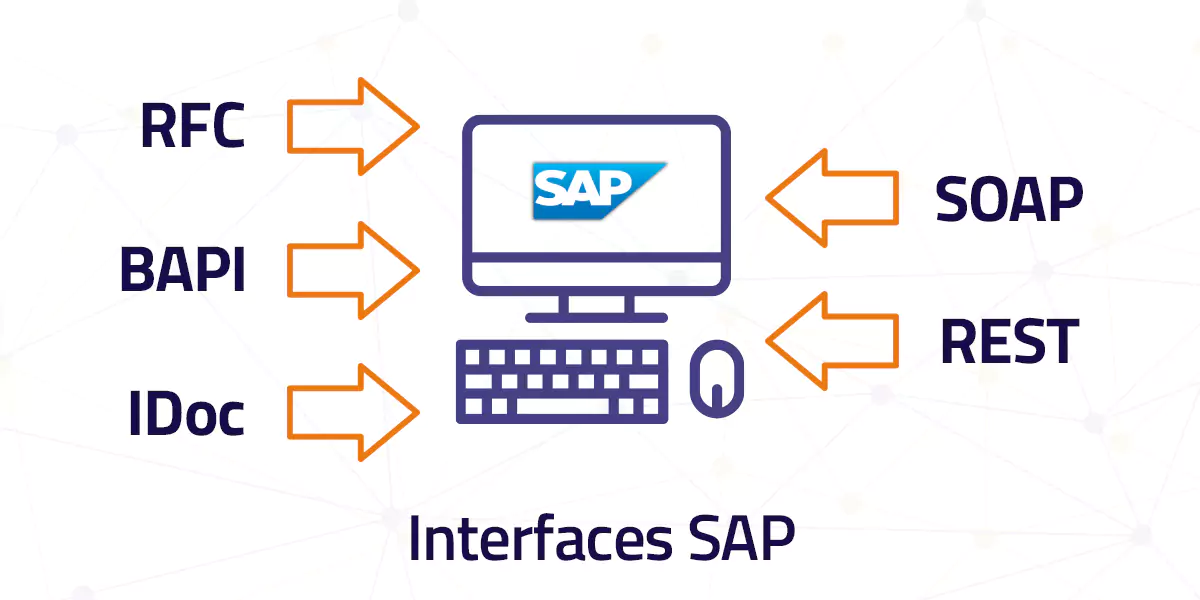
BAPIs (Business Application Programming Interfaces) are the standard interfaces used in SAP. Essentially, they are presented as function modules that are used to connect and join internal SAP components, as well as external components.
This integration of components is carried out at the business level rather than the technical level, which guarantees greater stability in the union and independence from the underlying communication technology.
BAPIs are linked as methods to SAP business objects and are used to address various data processes in the system. All BAPIs share certain characteristics in the method:
- They are methods associated with business objects.
- They are all defined as RFC (Remote Function Call) functions.
- They avoid the appearance of dialog boxes during the execution process.
What does Bapi mean in SAP?
In the context of SAP, “BAPI” is an acronym that means “Business Application Programming Interface” or “Interfaz de Programación de Aplicaciones Empresariales” in Spanish.
BAPIs are standard interfaces that allow software developers to interact with SAP business applications, such as SAP ERP (Enterprise Resource Planning), programmatically.
BAPIs are a way to expose SAP functionalities and data for access from external or customized applications. These interfaces allow developers to create, read, update, and delete data in SAP, as well as execute specific application functions and processes within SAP's enterprise application.
BAPIs are an integral part of SAP's integration strategy and are commonly used to connect external applications, third-party systems, or develop customized solutions that interact with SAP data and processes in a controlled and efficient manner.
They provide an abstraction layer that facilitates interaction with SAP applications without needing to know the underlying technical details of the database or SAP's business logic.
How do BAPIs work in SAP?
BAPIs (Business Application Programming Interfaces) are programming interfaces used in the SAP environment to enable communication and integration between different components and systems within the SAP platform. These interfaces are designed to facilitate programmatic interaction with business data and functions in an SAP system.
The following is an overview of how BAPIs work in SAP:
1. SAP Standards:
SAP provides a set of standard BAPIs that cover a wide range of business processes, such as creating purchase orders, managing materials, financial accounting, and many others. These BAPIs are documented and widely used in SAP implementations.
2. Communication:
BAPIs allow external systems to communicate with an SAP system programmatically. They can be invoked from external applications, such as third-party systems or custom applications, using programming languages such as ABAP, Java, or even through web services.
3. Process Abstraction:
BAPIs hide the complex details of business processes in SAP, making them easier for external developers to use. This means a developer does not need to know all the internal details of SAP to interact with business data and functions.
4. Consistent Interface:
BAPIs follow a consistent interface, with a predefined set of input and output parameters, making them easier to use and understand. Input parameters typically include data needed to execute a specific operation, such as creating an invoice or querying inventory, while output parameters return results or relevant information.
5. Atomic Transactions:
BAPIs are designed to perform atomic transactions, meaning they execute a complete and consistent operation in SAP. This ensures data integrity and prevents partial or incorrect changes from being made to the system.
6. Security and Authorizations:
BAPIs are subject to SAP's security and authorization controls, ensuring that only authorized users and systems can access and modify SAP data through these interfaces.
7. Change Logging:
SAP logs all calls to BAPIs, allowing auditing of who performed what action in the system. This is important for tracking and accountability in business transactions.
BAPIs in SAP are a standardized and secure way to interact with an SAP system from external or customized applications. They facilitate integration and automation of business processes, making them a valuable tool for organizations that use SAP in their operations.
How do you create a BAPI in SAP?
A BAPI (Business Application Programming Interface) in SAP is a programming interface that allows developers to interact with objects and data within the SAP system. BAPIs are used to integrate external applications with SAP systems, allowing data transfer and execution of functions within SAP from external applications.
Here is an overview of the basic steps to create a BAPI in SAP:
1. Prerequisites:
- Access to SAP and development permissions.
- Programming knowledge in ABAP (Advanced Business Application Programming).
2. Open the ABAP development environment:
- In SAP GUI, you can access the ABAP development environment using transaction 'SE80' or 'SE37'.
3. Create a function:
- Use transaction 'SE37' to create a new function.
- Enter the function name and description.
- Define the necessary input and output parameters for the function. These parameters will determine how your BAPI interacts with SAP.
4. Programming logic:
- In the 'Programming logic' section of the function, write the necessary ABAP code to perform the desired operation in SAP. This could involve reading or writing data to SAP tables or other specific business operations.
5. Mark the function as a BAPI:
- On the 'Attributes' tab, check the 'BAPI function' option.
- This will tell SAP that this function will be used as a BAPI.
6. Test the function:
- Use transaction 'SE37' again to test the function and ensure that it works as expected.
7. Publish the BAPI:
– If the function works correctly, you can publish the BAPI so that it is available for use in other applications. This is done through the transport process in SAP, which varies depending on the specific configuration of your environment.
8. Document the BAPI:
– It is important to provide detailed documentation for the BAPI that explains its purpose, the required parameters, and how to use it. This will facilitate integration with other applications and future development.
Keep in mind that this is a simplified summary of the process for creating a BAPI in SAP. The actual implementation may vary depending on the specific requirements of your project and the configuration of your SAP system. In addition, it is important to follow SAP's best practices for development and documentation to ensure the quality and maintainability of your BAPI.
Ready to talk to SAP specialists?
Tell us what your company needs and we'll help you find the best path.
Request information








 English
  Español de México
  Español