

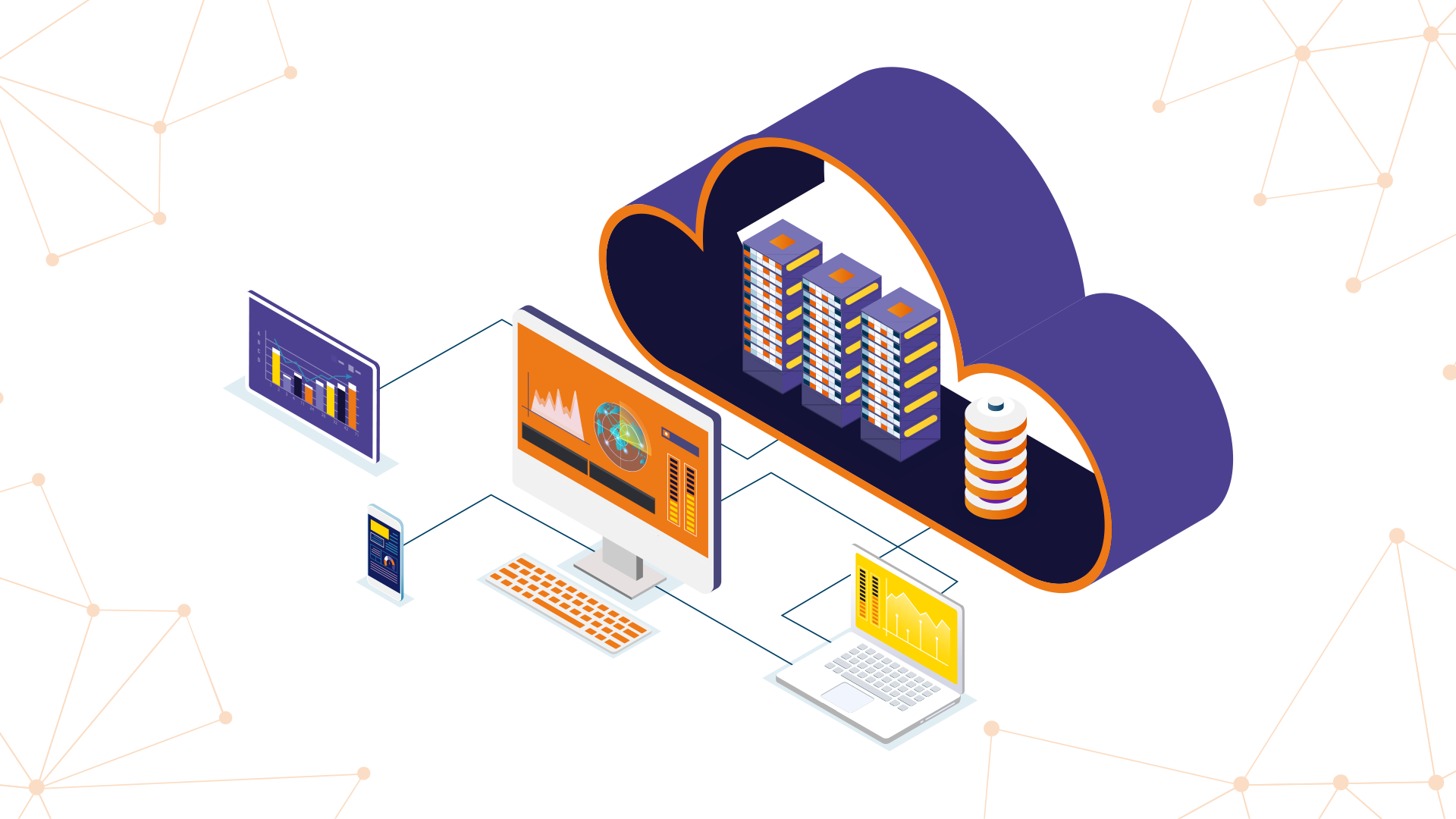
You know all the benefits and applications of cloud computing in our comprehensive guide and we tell you how it can transform your business.
Cloud computing has become an essential element for companies and users seeking flexibility, efficiency, and modernization of their systems. When we talk about the cloud or cloud computing, we are referring to a set of cloud services that allow you to store, process, and access information, databases, and applications without relying on local physical servers.
Thanks to cloud computing, organizations can take advantage of virtual machines, data centers, and computing resources on demand, adjusting their infrastructure according to the demand of their workloads. This means that a company can increase or decrease its processing, storage, and bandwidth capacity without needing to purchase additional equipment, optimizing its performance and reducing maintenance costs.
Furthermore, modern computing offers cloud services such as software as a service (SaaS), platform as a service (PaaS), and infrastructure as a service (IaaS). These modalities allow developers, IT teams, and users to access tools, web applications, and operating systems easily, efficiently, and securely.
The objective of this guide is to offer a complete vision of the benefits of cloud computing, its implementation models, the most relevant applications, and how companies can transform their operations and their business by taking advantage of the cloud.
We will also give you examples of service providers such as Amazon Web Services, as well as the integration of artificial intelligence and other functionalities that make cloud computing an important tool for decision-making and the digital transformation of organizations.
Cloud service models
Cloud services are divided into three main models, each designed to cover different needs of companies and users:
|
Service model |
What it offers |
Main benefits |
Examples |
|
Infrastructure as a Service (IaaS) |
Servers, storage, networks, computing resources, and operating systems |
Flexibility, self-service, resource scalability, reduction of ownership costs |
Amazon Web Services, Microsoft Azure |
|
Platform as a Service (PaaS) |
Platform as a service for developers, including tools, databases, and web applications |
Facilitates application development, programming, and modernization, reduces implementation time |
Google App Engine, SAP BTP |
|
Software as a Service (SaaS) |
Software, applications, and tools available on demand from the cloud |
Immediate access, no need for equipment maintenance, flexibility, and availability |
SAP S/4HANA Cloud, Microsoft 365, Salesforce |
Essential elements of cloud computing
For cloud computing to function correctly, several fundamental components are required:
- Data centers: Host servers, databases, and equipment that support applications and workloads.
- Computing resources: Include processing, storage, and bandwidth that allow software, web applications, and operating systems to run.
- Cloud security: Protects information, ensures availability, compliance, and prevents interruptions in operations.
- Self-service and flexibility: Users and developers can provision resources according to demand without relying on direct equipment administration.
Understanding these concepts allows companies to make strategic decisions about which type of cloud to implement, which service provider to choose, and how to modernize their infrastructure without compromising performance, security, or functionality.
Benefits of Cloud Computing
Cloud computing is not just a trend; it has become a strategic tool for businesses of all sizes and sectors. By adopting cloud services, organizations can transform their business, improve resource management, and increase the flexibility and profitability of their operations.
1. Cost Reduction and Resource Optimization
One of the main benefits of cloud computing is that it allows companies to access infrastructure, servers, storage, and computing resources on demand. This means that it is no longer necessary to invest in equipment or data center ownership, reducing maintenance costs and energy consumption for cooling and operation. With the cloud, workloads are adjusted according to demand.
2. Scalability and Flexibility
Computing services allow you to increase or decrease resources such as storage, bandwidth, or processing quickly and easily. This gives companies the flexibility needed to adapt to changes in demand, without interruptions in production or affecting the availability of applications. Self-service and automation facilitate planning and system modernization.
3. Accessibility from Anywhere and Devices
Thanks to cloud computing, users and teams can access applications, software, databases, and tools from anywhere and with different devices. This improves productivity, enables remote work, and facilitates quick decision-making based on updated information.
4. Innovation and Development
With platform as a service (PaaS) and infrastructure as a service (IaaS), developers have access to programming tools and environments that streamline the development and implementation of web applications and software. This encourages research, system modernization, and the digital transformation of organizations.
5. Security and Continuity
Although some people doubt the security in the cloud, cloud providers offer advanced protection mechanisms for information, databases, applications, and equipment. Private cloud or hybrid cloud allows compliance requirements to be met and guarantees availability, automation of operations, and recovery from interruptions.
6. Improved Decision Making
Cloud computing facilitates access to real-time information and advanced analytics tools, including artificial intelligence. This allows companies to make faster and more accurate decisions, optimizing planning, marketing, human resources, and production.
7. Business Modernization and Transformation
Adopting cloud services allows organizations to modernize their infrastructure, software, and operating systems, driving the transformation of operations, functionality, and performance. Companies can integrate containers, web applications, and platform as a service to accelerate innovation, programming, and production.
Applications of Cloud Computing
Cloud computing not only improves flexibility and security in the cloud, but also opens up a range of applications for companies, users, and development teams. From software as a service (SaaS) to infrastructure as a service (IaaS), cloud services allow you to optimize operations, information processing, and production.
Main Applications and Cloud Services
|
Service Type |
Main Applications |
Benefits for Businesses |
Examples |
|
Software as a Service (SaaS) |
Software, web applications, collaboration tools, databases |
On-demand access, no maintenance required, flexibility, self-service |
SAP S/4HANA Cloud, Microsoft 365, Salesforce |
|
Platform as a Service (PaaS) |
Development environments, programming, web applications, containers, analysis tools |
Facilitates development, application modernization, reduces implementation time, optimizes IT resources |
SAP BTP, Google App Engine, Heroku |
|
Infrastructure as a Service (IaaS) |
Servers, storage, networks, virtual machines, operating systems, data centers |
Scalability, workload control, reduced total cost of ownership, improved performance |
Amazon Web Services, Microsoft Azure, IBM Cloud |
|
Artificial intelligence and data analytics |
Processing large volumes of information, decision making, automation, research |
Optimizes operation, planning, operations, and business |
SAP AI Core, Google Cloud AI, Azure AI |
|
Storage and Backup |
Databases, files, resources, applications, critical information |
Security, availability, reduced downtime, information protection |
Amazon S3, Azure Blob Storage, Google Cloud Storage |
|
Internet of Things (IoT) and connected devices |
Equipment, sensors, monitoring and control applications |
Improve production, automation, operations, and performance |
AWS IoT, Azure IoT Hub, Google Cloud IoT |
Other relevant applications
- System modernization: migrate traditional applications to platform-as-a-service platforms to improve performance and functionality.
- Business digital transformation: integrate artificial intelligence, containers, and software-as-a-service to accelerate innovation and decision-making.
- Human resources and marketing: use cloud services for planning, administration, automation, and information management.
The use of cloud computing allows organizations to optimize computing resources, improve processes, increase the availability of web applications, and reduce maintenance costs, making infrastructure and software work more efficiently and cost-effectively.
Types of cloud and when to choose each one
Cloud computing offers different implementation models that companies can choose based on their computing resource needs, cloud security, and flexibility. Understanding the differences between public cloud, private cloud, and hybrid cloud helps make strategic decisions about infrastructure, applications, and computing services.
Public cloud
The public cloud is a cloud service provided by a cloud provider, such as Amazon Web Services, where resources, servers, data centers, and software are available to multiple users and companies. This model allows for self-service, on-demand access, and rapid scalability of resources, such as storage, bandwidth, and processing.
Companies that need flexibility, cost reduction, and easy implementation of web applications or software-as-a-service (SaaS) often choose public cloud, especially for development, testing, and modernization of workloads.
Private cloud
The private cloud is dedicated to a single organization. Its computing resources, servers, databases, and operating systems are exclusive, offering greater cloud security, control, and customization. This model is ideal for companies with sensitive information or that must comply with strict compliance standards.
Although it requires more maintenance and equipment ownership, the private cloud allows organizations to optimize operations, functionality, and performance of critical applications, ensuring availability and reducing the risk of interruptions.
Hybrid cloud
The hybrid cloud combines public and private cloud, offering the best of both worlds. A company can keep sensitive workloads in the private cloud while leveraging the public cloud for development, testing, storage, or high-demand web applications.
This model facilitates modernization, digital transformation, and automation of operations, improving availability, flexibility, and data-driven decision-making. It also allows for efficient use of computing resources, optimizing infrastructure, bandwidth, and processing without compromising cloud security.
How to choose the right cloud
To decide which type of cloud to implement, companies should evaluate:
- The demand for workloads and applications.
- The need for cloud security and regulatory compliance.
- The costs of maintenance, infrastructure, and IT resources.
- The possibility of modernization and transformation of systems and operations.
- Integration with computing services, software as a service, and platform as a service available from the cloud provider.
Choosing correctly between public cloud, private cloud, or hybrid cloud allows organizations to take advantage of all the benefits of cloud computing, from self-service, flexibility, and performance, to cloud security, infrastructure modernization, and resource optimization.
Cloud security
Cloud security is one of the most important aspects of cloud computing, especially for companies and organizations that handle critical information, sensitive databases, and applications essential to the business. Although some people think that the cloud is not secure, service providers such as Amazon Web Services implement advanced mechanisms to protect resources, equipment, and data centers.
Common risks
Although cloud computing offers many advantages, there are also risks that must be considered:
- Information leaks: when sensitive data is leaked outside the cloud or from servers.
- Interruptions: failures in infrastructure, servers, or IT resources that affect the availability of applications and software.
- External threats: cyberattacks that seek to compromise databases, web applications, and organizational resources.
Best practices
To ensure cloud security, companies can implement simple but effective strategies:
- Information encryption: protect data, databases, and applications during processing, storage, and transmission.
- Access control: define which users or devices can access IT resources, software as a service, and platform as a service.
- Authentication mechanisms: use secure passwords, multi-factor authentication, and cloud security policies.
- Monitoring and auditing: monitor the operation of servers, data centers, and web applications to detect possible breaches or interruptions.
Compliance and regulations
Cloud computing also enables compliance with standards and regulations such as GDPR, ISO, or NIST. This ensures that organizational information is protected and that IT resources, software, and applications function according to cloud security best practices.
Business recovery and continuity
Another benefit of the cloud is the ability to guarantee availability and continuity:
- Disaster recovery plans: cloud providers can replicate databases, servers, and applications in multiple data centers, preventing data loss.
- Automation of operations: IT resources and workloads can be automatically relocated in the event of failures, maintaining operation and production without interruption.
Cloud security not only protects information and resources, but also strengthens the modernization, transformation, and profitability of companies, by ensuring that users and developers can work reliably and efficiently.
Cloud migration
Cloud migration is the process by which companies move their systems, applications, databases, and workloads from traditional infrastructure or on-premises equipment to cloud services. This step is key to achieving modernization, transformation, and optimization of IT resources, processing, and storage.
Migration strategies
There are several strategies that organizations can follow depending on their needs:
- Lift and shift: systems and applications are moved as they are to the cloud, using infrastructure as a service (IaaS). This strategy is quick and reduces interruptions in production, although it does not always take advantage of all the functionalities of cloud computing.
- Restructuring or refactoring: systems, web applications, and databases are modernized before being moved to platform as a service (PaaS) or software as a service (SaaS), optimizing resources, performance, and functionalities.
- Hybrid: combines private cloud and public cloud, keeping critical workloads in the private cloud while moving other applications and IT resources to the public cloud, taking advantage of the flexibility, self-service, and availability of cloud services.
Assessment and planning
Before migrating, companies should analyze:
- Which workloads, applications, and databases need to be moved.
- What IT resources will be necessary to maintain performance and availability.
- Which operating systems, software, and tools will be compatible with the chosen service provider.
- How to guarantee cloud security, compliance, and information protection during migration.
Tools and providers
Cloud providers, such as Amazon Web Services, Microsoft Azure, and Google Cloud, offer tools and services that facilitate the implementation, provisioning, and administration of infrastructure, virtual machines, web applications, and resources. These tools allow companies to reduce downtime, optimize processing, and improve the profitability of migration.
Benefits of Migration
By moving workloads, applications, databases, and systems to computing services, organizations achieve:
- Improve the availability and performance of applications and software.
- Reduce infrastructure costs, equipment ownership, and maintenance.
- Increase flexibility, self-service, and modernization of systems.
- Facilitate automation and decision-making through artificial intelligence and information analysis.
Migration to the cloud is a strategic step that allows companies to take advantage of all the benefits of cloud computing, transform their business, and optimize operations, IT resources, and production.
Cloud Provider Comparison
There are multiple service providers offering cloud computing, infrastructure, platform as a service, and software as a service (SaaS). Choosing the right cloud provider is key to ensuring availability, performance, cloud security, and optimization of IT resources.
The following is a comparison of the main cloud service providers:
|
Provider |
Service Types |
Main benefits |
Notable Applications |
Ideal for |
|
Amazon Web Services (AWS) |
IaaS, PaaS, SaaS, virtual machines, storage, databases |
Scalability, self-service, wide bandwidth, high availability, on-demand resources |
Web applications, software, artificial intelligence, containers |
Companies seeking flexibility, performance, and modernization |
|
Microsoft Azure |
IaaS, PaaS, SaaS, infrastructure, data centers, web applications |
Integration with Windows operating systems, computing resources, self-service, cloud security |
Software as a service, development platforms, databases, AI tools |
Organizations that use Windows, development, artificial intelligence, and system modernization |
|
Google Cloud |
IaaS, PaaS, SaaS, storage, processing, computing resources |
Innovation in artificial intelligence, information analysis, flexibility, automation |
Web applications, databases, containers, software |
Companies focused on AI, big data, and digital transformation |
|
IBM Cloud |
IaaS, PaaS, SaaS, infrastructure, computing services |
Cloud security, compliance, integration with enterprise systems |
Software, applications, computing resources, processing |
Companies with a high need for security, compliance, and modernization |
|
Oracle Cloud |
IaaS, PaaS, SaaS, databases, applications |
Specialization in databases, automation, on-demand resources, infrastructure |
Software, databases, web applications |
Organizations focused on databases, critical operations, and business transformation |
|
SAP Cloud |
SaaS, PaaS, infrastructure for enterprise applications, databases, artificial intelligence |
Systems integration, optimized IT resources, self-service, modernization, business transformation |
SAP S/4HANA Cloud, SAP Analytics Cloud, SAP BTP, enterprise web applications |
Companies seeking modernization, systems integration, automation, artificial intelligence, and management of human resources, finance, production, and marketing |
Considerations for choosing a provider
When selecting a cloud service provider, companies should evaluate:
- The infrastructure and IT resource capacity to handle workloads and information processing.
- Cloud security, compliance, and availability of applications and software.
- Compatibility with operating systems, platform as a service, software as a service, and containers.
- The flexibility, self-service, modernization, and automation offered by each provider.
With this information, organizations can make informed decisions about which cloud provider best suits their business needs, optimizing resources, performance, and operation of web applications, software, and operating systems.
Common myths about cloud computing
Although cloud computing has become an essential tool for companies, developers, and users, there are still misconceptions that can generate doubts about its implementation, cloud security, and benefits. Here, we clarify some of the most common myths.
Myth 1: The cloud is not secure
Many people think that information, databases, and applications are at risk when they are in the cloud. However, cloud providers, such as Amazon Web Services, Microsoft Azure, and SAP Cloud, implement advanced cloud security mechanisms, encryption, access controls, and audits that protect IT resources, software, operating systems, and data centers.
Myth 2: Migrating to the cloud is very expensive
Some companies believe that moving applications, databases, and resources to the cloud involves high costs. In reality, cloud computing allows for an on-demand model, where organizations pay only for the resources they use, optimizing infrastructure, storage, bandwidth, and processing. In addition, the costs of ownership and maintenance of physical equipment are reduced.
Myth 3: The cloud is only for large companies
Another common mistake is to think that the cloud is only for large companies. In reality, cloud computing is scalable and flexible, offering IT resources, software as a service (SaaS), and platform as a service (PaaS) adaptable to workloads, teams, and business needs of any size.
Myth 4: I cannot customize my applications
Some people believe that cloud computing limits the customization of applications and operating systems. On the contrary, cloud service providers offer customization options, containers, and platform as a service, which allow web applications, software, and tools to be adapted to the specific needs of each organization.
Myth 5: The cloud completely replaces on-premises infrastructure
Although cloud computing allows applications, databases, and computing resources to be moved, many companies opt for a hybrid cloud model, combining on-premises infrastructure with cloud services, to maintain security, availability, and control over critical information.
Myth 6: All maintenance is done by the provider
While cloud providers manage infrastructure, servers, and data centers, the administration of applications, resources, workloads, and software remains the responsibility of companies, who must implement good cloud security practices, automation, and modernization.
Next steps
If your organization is looking to optimize computing resources, modernize systems, and make the most of cloud services, it's time to take action. Implementing SAP Cloud solutions or integrating them with other service providers can take your business to a new level of innovation, automation, and digital transformation.
Connect with us at Xamai and learn how to move your workloads, applications, databases, and systems to the cloud, guaranteeing cloud security, availability, performance, and maximum profitability. At Xamai, we help you implement infrastructure as a service, platform as a service, and software as a service in a strategic and personalized way for your company.
Ready to talk to SAP specialists?
Tell us what your company needs and we'll help you find the best path.
Request information







 English
  Español de México
  Español