


Meet the SAP Kernel, its update, and the improvements it offers
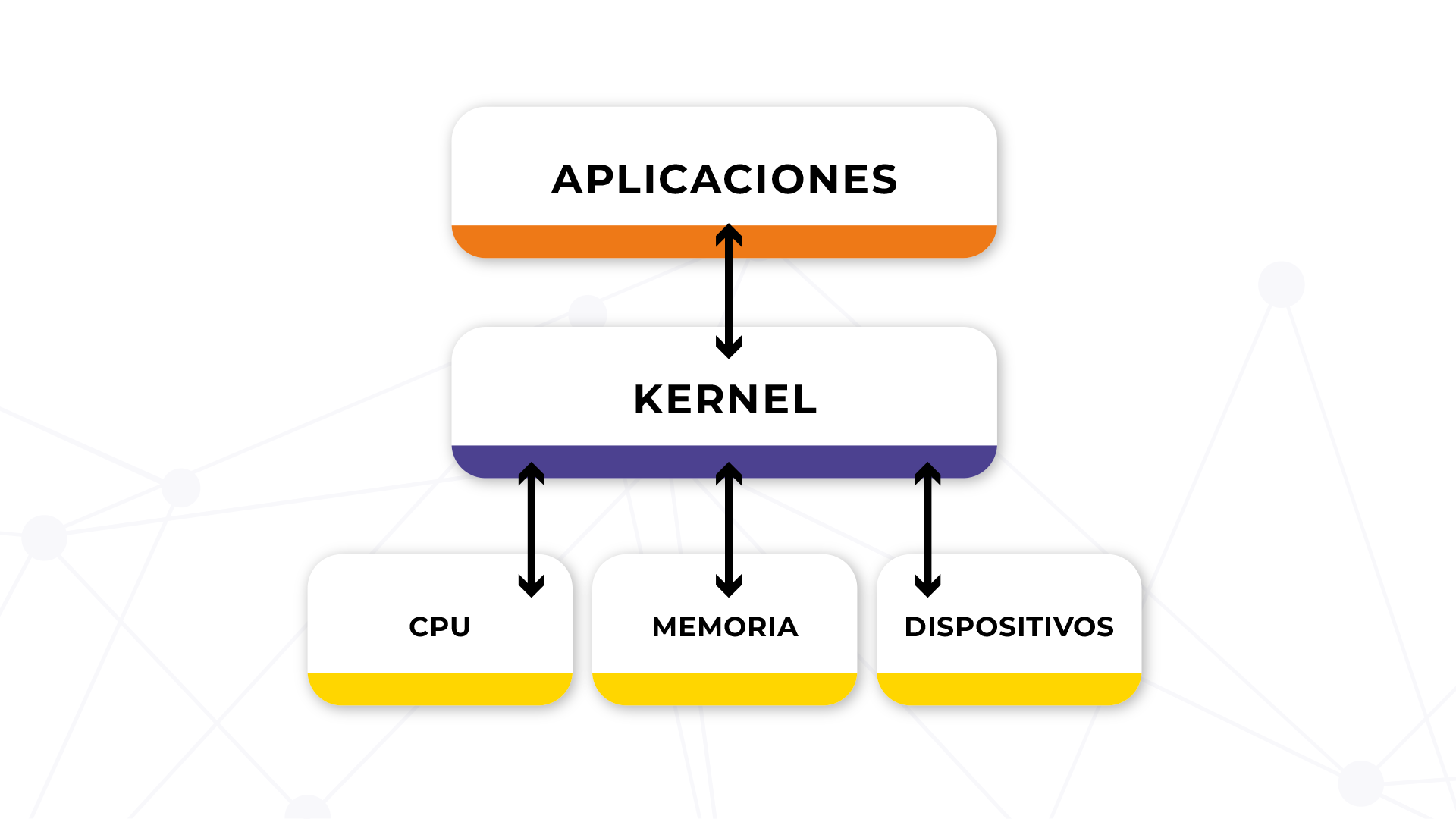
The SAP kernel is a determining aspect within SAP ERP. We could say that, like the JVM of Java, it contains a set of native binaries of the operating system that are started and executed on a specific operating system (OS).
It is a central program that acts as an interface between the SAP application and the operating system and that requires frequent updates to ensure that its operation is carried out smoothly and optimally.
How to check the kernel version?
Evaluate the version
This is quite easy, as all you need to do is consult the user manual to know the configuration of your SAP system, which will also include the existing kernel versions.
You can use the transaction code SM30 (Display or change system parameters) to determine the kernel version.
Check available update packages
Evaluating availability is even easier and only requires a little research on the internet. Simply search for the SAP note that has the details of all available update packages for your version of SAP Kernel.
Main reasons why you should update your SAP kernel
For better SAP SLM service level maintenance
Since the SAP kernel is a crucial part of your system, you may experience performance issues when it becomes obsolete.
To resolve this issue, there is something called SAP Service Maintenance (SLM), which allows you to apply updates and fixes to the kernel in a matter of weeks. While doing so, it is always important to run an updated version of the kernel.
The latest versions include security patches that protect against vulnerabilities and external threats, helping to maintain the integrity of your business files.
To facilitate bug fixes and other security updates
Bug fixes are another part of SLM, where errors are corrected when they are reported. Other security updates published by SAP also keep the system protected against potential attackers or any other malicious threat. The latest database security updates should be applied immediately.
An updated kernel ensures that the SAP environment benefits from the latest functionalities and performance improvements so that the company can remain competitive in an ever-evolving economic and business environment.
To improve the performance and response times of SAP applications
Another advantage is that it will improve the performance and response times of SAP applications, which translates to a better user experience for everyone involved. This can also help alleviate the load on your servers, resulting in overall performance improvements.
With reduced response times, users can perform critical tasks with greater agility, increasing productivity and allowing companies to respond more quickly to market demands.
To avoid SAP security vulnerabilities
An excellent example of this could be a handful of security issues discovered and patched previously in HANA systems. If these vulnerabilities had not been applied, they would have represented a considerable risk for companies using the applications.
This is crucial in a context where attackers are becoming increasingly sophisticated and security breaches can result in significant financial losses for the company.
To stay up to date with SAP kernel fixes
The SAP Kernel team publishes security updates periodically as part of SLM. However, there are other fixes for issues that customers have reported in case any error gets out of control. With each Kernel version, there will always be improvements compared to the previous one, so it is recommended to stay up to date with the latest update.
This proactivity in kernel management helps prevent service interruptions and fosters a more secure and efficient environment for business operations.
To obtain fixes for SAP SD and BW systems
SAP ERP kernel fixes are only applied if you use SAP GUI and SAP NetWeaver Client Connectivity. These updates are only available when updating the kernel to be able to see the benefits.
To facilitate this process, it is recommended that users familiarize themselves with the command “usr sap sid”, which allows access to specific SAP kernel fixes and configurations.
It can also help to quickly identify the kernel versions being used and whether relevant updates are available for the SD and BW modules.
To help you plan the next SAP system releases
When updating the kernel version, it is essential to stay up to date with the latest advances and improvements. This allows the kernel to be better prepared and plan for upcoming changes that may affect the system.
How to perform the SAP kernel update
Perform a cluster check
Before starting the update process, you must ensure that the system is in good condition. First, perform a cluster check to identify the status and whether there are any problems with the SAP nodes or components.
Start the update process
The actual update process starts in a cluster environment, where all nodes or the server work together and share workloads. Depending on the version of SAP available, the kernel update can be activated from different menus.
Wait for initialization
Once these configurations are in place, wait for the progress bar to complete and then you will be ready for the next step.
Verify changes, errors, and results
The kernel update process is complete when the screen returns to normal without any results or error messages. If there is an error, you must first resolve it before continuing.
Take action on error messages
If you receive an error message that says “Error updating the kernel”, it means that something is wrong somewhere, whether it’s a configuration, master data, or specific system catalogs.
Verify all components
Once you have resolved all errors, make sure that all SAP components have been updated or not. When you start the kernel update process, it searches for all components that need to be updated and locks them once the verification process is complete.
Perform a cluster check again
Since you have just performed a kernel update, it is essential to re-perform a cluster check once the update is complete. This will ensure that the SAP environment is in order and that everything is working correctly.
Restart the nodes
Once you have confirmed that everything is okay, proceed to restart all nodes of your SAP system one by one from the “Master Control Program” (MCP). You can restart a node by going to “SAP GUI”, → “Administration”, → “System Management” and clicking the Restart System button
Ready to talk to SAP specialists?
Tell us what your company needs and we'll help you find the best path.
Request information









 English
  Español de México
  Español